01
Stop buying templates
Create round, square, oval, rectangular and puzzle layouts directly inside the Studio. Resize, position, edit and print without rebuilding files in Canva or Photoshop.
Design pinback buttons and photo magnets, take customer uploads, run event ordering, build print-ready sheets, sell through your own storefront and manage fulfillment without piecing together five different tools.
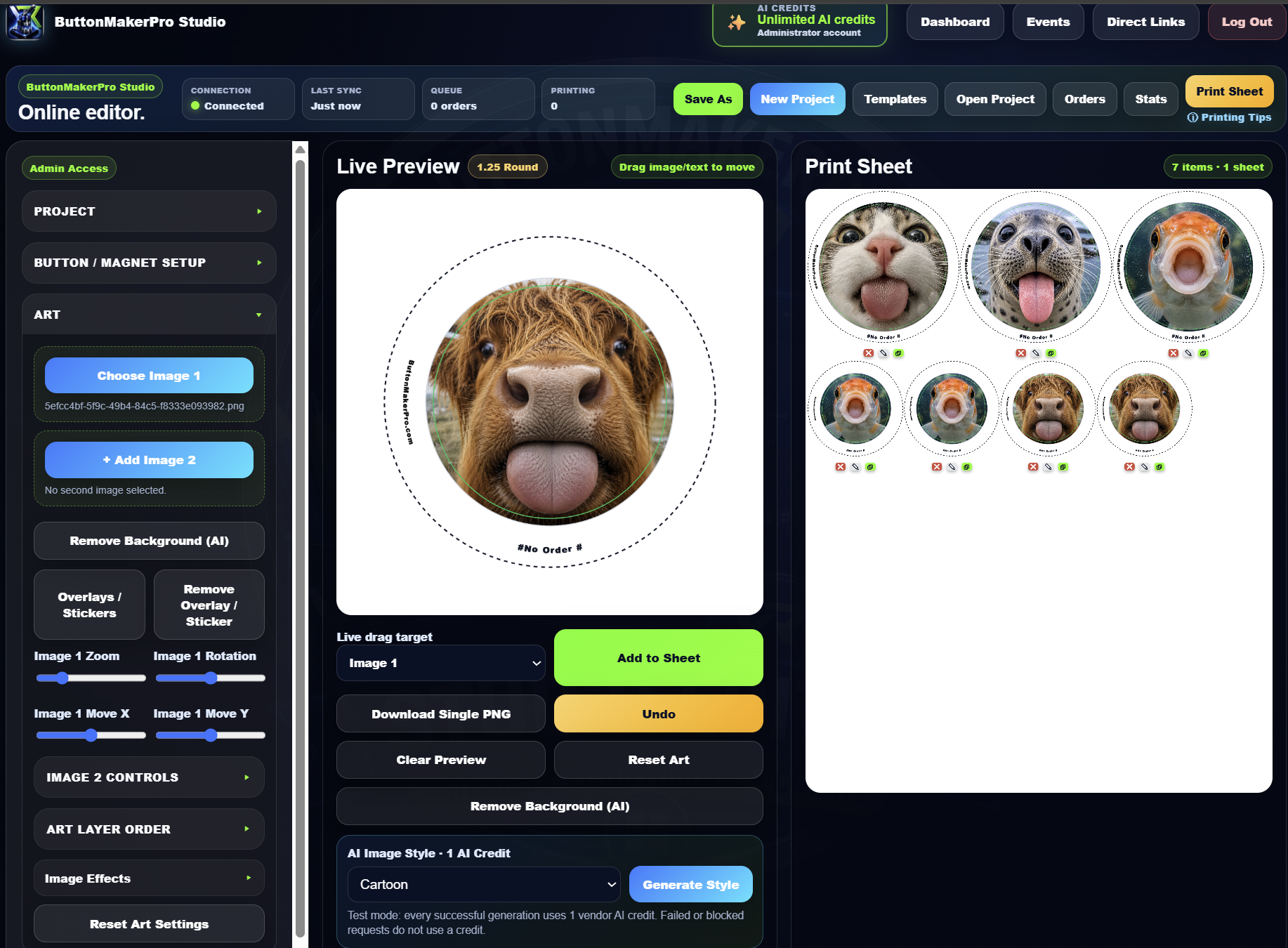
ButtonMakerPro keeps the design, ordering and production process connected instead of sending you between unrelated apps.
Use one system designed specifically around how button and photo magnet makers actually work.
Create round, square, oval, rectangular and puzzle layouts directly inside the Studio. Resize, position, edit and print without rebuilding files in Canva or Photoshop.
Let customers upload their own images from a permanent link, event QR code or branded storefront. Keep order details and production status together.
Design, customer ordering, payment collection, print sheets, production tracking and shipping live inside the same vendor platform.
See how ButtonMakerPro connects product design, incoming orders, event setup and the customer ordering experience.
Create artwork, preview the finished product and add completed designs directly to calibrated print sheets.
See incoming event and direct-link orders in real time, add paid customer images to production sheets and track each job from submission through completion.

Create event ordering pages, choose available products and pricing, generate a QR code and manage everything from your vendor dashboard. For paid orders, optional Studio automation can place the customer image onto a sheet with its order number so it is ready to print.


After scanning your QR code, customers can upload their images, preview each item, choose available products and submit their order.

Upload a photo, choose the 2×2 or 3×3 puzzle option and ButtonMakerPro automatically splits, aligns and places every piece into a print-ready layout. No manually cropping nine separate images and no guessing whether the pieces will line up.

Browse downloadable images, STL files, traceable artwork, print resources and other creative assets shared by ButtonMakerPro members. Organize uploads into folders, explore community categories and report anything that needs administrator review.
Type a word and ButtonMakerPro builds one square magnet for every letter using photographic shapes found in architecture, nature and everyday objects. Shuffle any individual letter until the whole set feels just right.
 L
L O
O V
V E
EFeatured tutorials are loaded automatically from the Tutorials page. Select a video to open the full player.
ButtonMakerPro supports the full path from creating a product to getting it into your customer's hands.
See how ButtonMakerPro compares to NineMags, MagFlow, and My Badge Studio, side by side.
Use ButtonMakerPro for projects at home, sales at live events or as the operating system behind a growing custom-product business.
Everything your button business needs, connected inside one platform.
Create an account at no cost, unlock one production day when needed, or choose a monthly plan as your business grows.
Give the Web Studio a try and get comfortable with the core design workflow.
For individuals who need dependable design, printing and order-management tools.
For businesses taking payments, producing customer orders and selling online.
For higher-volume businesses that need expanded capacity and the complete platform.
Buy a 24-Hour Pass for temporary Web Studio, Events and Direct Links access without starting a monthly subscription.
No. The Studio is the design foundation, but the platform also supports customer ordering, event workflows, storefronts, print production, payments and fulfillment tools.
Round: 7/8", 1", 1.25", 1.5", 1.75", 2", 2.25", 2.5", 3", 3.5", and 6".
Oval: 1" × 1.75" and 1.75" × 2.75".
Square: 1.5" × 1.5", 2" × 2", 2.5" × 2.5", and 3" × 3".
Rectangle: 1.5" × 4.5", 1.75" × 2.75", 2" × 3", and 2.5" × 3.5", plus a 2.5" × 3.5" rounded rectangle.
Photo magnet puzzles: 4-piece 2 × 2 and 9-piece 3 × 3 square puzzle layouts. Upload one image and ButtonMakerPro splits it into print-ready square magnet pieces.
Upload one image and choose either the 2×2 four-piece puzzle or the 3×3 nine-piece puzzle. ButtonMakerPro automatically splits and aligns the image across every piece and builds the print-ready puzzle layout in one click.
ButtonMakerPro includes AI background removal and AI image-generation tools inside the Studio. Available style options include Cartoon, Caricature, Comic Book, Watercolor, Oil Painting, Anime, Kawaii, Retro Cartoon, Clay Figure, Building Blocks, Pop Art, Vintage Poster, Pencil Sketch, Coloring Page, Ink Drawing, Sticker Style, Mascot Style, Storybook, Children's Book, Fantasy Portrait, Pixel Art, Neon, Low Poly, Graffiti, Chalk Drawing, Pastel, Paper Cut, Holiday Theme, Christmas Card, Halloween, Valentine's, Easter, and Patriotic.
When a sheet is ready, you can save it as a PDF, export it as a PNG, or send it directly to your connected printer from ButtonMakerPro.
ButtonMakerPro includes the supported standard sizes listed above, and you can fine-tune template sizing and print calibration when your machine, cutter or equipment runs slightly different from the default measurements.
Yes. Customers can submit images through direct order links, event QR pages or vendor storefront products.
The Web Studio works in modern browsers, including touch-supported devices. Paid plans can also include the Windows Desktop App for essential offline designing and printing.
ButtonMakerPro does not currently take a platform percentage from vendor orders. When online payments are accepted through Stripe Connect, Stripe’s standard payment-processing fees apply. Other connected services may charge their own fees.
Check out another project by 13_Chris, the creator behind ButtonMakerPro.